

Advanced Prompt Engineering Techniques for LLM Applications
A demo that answers one question well is easy to build. An application that answers thousands of questions reliably, quickly and safely is much harder. Advanced prompt engineering techniques are what close that gap.
Teams building with large language models keep hitting the same problems: outputs that break parsers, confident wrong answers, context that overflows, and inputs that try to override instructions. Prompt engineering for LLMs tackles these by improving the instructions, examples and context a model receives, without retraining it.
This guide follows a simple path: the core ideas, eight techniques with Python examples, practical optimisation, common risks, evaluation, real-world uses and what comes next.
Understanding Advanced Prompt Engineering in LLM Applications
Basic prompting is a conversation: you ask, read the reply and adjust. Advanced prompt design treats the prompt like code, with defined inputs, an output contract and tests.
Every LLM call combines four parts:
These parts affect each other, so change one at a time and measure the result. It also helps to separate three ideas that are often confused:
Prompt engineering changes the instructions and examples in a request. Fine-tuning changes the model’s weights using training data. Context engineering decides what information, such as retrieved documents, memory and tool results, enters the context window at all.
In production, prompts also need versioning, evaluation and monitoring, because a small wording change can shift behaviour across thousands of requests.
The Shared Helper for All Code Examples
The Python snippets below share one helper. Code labelled executable runs once you add credentials and a model name; pseudocode only illustrates a workflow.
# Executable: pip install openai; set OPENAI_API_KEY
  from openai import OpenAI

  client = OpenAI()
  MODEL = "your-model-name"

  def call_llm(messages, temperature=0.0):
      resp = client.chat.completions.create(
          model=MODEL, messages=messages, temperature=temperature
      )
      return resp.choices[0].message.content
Advanced Prompt Engineering Techniques Every LLM Developer Should Understand
Each technique covers how it works, how to implement it, when to use it and where it breaks.
The model works through intermediate steps before answering.
Wei et al. (2022) reported better results on arithmetic and multi-step reasoning tasks when large models were prompted to show their steps.
Ask for step-by-step reasoning, then a fixed marker such as ANSWER: that your code can
parse.
A billing assistant calculating a prorated refund.
The task involves calculations, policy logic or several constraints at once.
It adds tokens and latency, and the written reasoning may not reflect how the model actually reached its answer. Many current reasoning models already think internally, so test whether explicit steps help on yours.
Show the model examples of the pattern you want.
Examples in the prompt let the model infer the pattern, as documented in the GPT-3 paper by Brown et al. (2020).
Pass examples as alternating user and assistant messages. Here, support tickets are tagged by category and urgency:
# Executable: support-ticket tagging with few-shot examples
  examples = [
      ("App crashes when I upload a PDF", "category=bug; urgency=high"),
      ("How do I change my billing email?", "category=account; urgency=low"),
  ]
  messages = [{"role": "system",
      "content": "Tag support tickets. Reply only as category=<x>; urgency=<y>."}]
  for text, label in examples:
      messages += [{"role": "user", "content": text},
                  {"role": "assistant", "content": label}]
  messages.append({"role": "user", "content": "Refund not received after 10 days"})
  print(call_llm(messages))
The task is classification, extraction or format-sensitive.
Examples cost tokens, and models can copy their surface features. Use varied examples, including edge cases.
Give clear instructions and no examples.
The prompt relies on a precise task definition, explicit constraints and a stated output format.
Name the task, audience, length and format in plain sentences. For example, summarise an incident report into three bullet points for an operations dashboard.
Starting any new task, since it is the baseline to beat.
Format and interpretation can drift. If they do, add examples instead of more adjectives.
Set standing rules and a role the model keeps on every turn.
A system prompt defines behaviour, boundaries and tone. A role, such as a support agent limited to product documentation, focuses that behaviour.
Keep stable rules in the system message and user input in separate messages.
The application needs consistent behaviour across users.
A role adds no knowledge the model lacks, and a system prompt is not a security boundary. Enforce permissions in application code. For deeper security considerations, see our guide on AI agent security risks and best practices.
Break a big task into small calls, each feeding the next.
Each step gets a narrow prompt, and its output becomes the input to the next step. A contract review pipeline might look like this:
# Pseudocode: contract review pipeline
  clauses = extract_clauses(document)
  risks = [assess_risk(c) for c in clauses]
  report = summarise(risks)
Validate each step’s output before passing it on.
One prompt is overloaded or cheaper models can handle simple steps.
Each step adds latency and cost, and early errors propagate.
Fetch relevant documents first, then answer only from them.
Retrieval-Augmented Generation (RAG) inserts retrieved passages into the prompt as grounding, an approach formalised by Lewis et al. (2020).
Retrieve, label each chunk with an ID, then tell the model to answer only from the sources and cite them:
# Executable once retrieve() is wired to your vector store
  def answer(question):
      chunks = retrieve(question, k=4)  # [{"id": "doc-12", "text": "..."}]
      context = "\n\n".join(f"[{c['id']}]\n{c['text']}" for c in chunks)
      system = ("Answer using only the sources provided. Cite source IDs in "
                "brackets. If the sources do not contain the answer, say so.")
      user = f"<sources>\n{context}\n</sources>\n\nQuestion: {question}"
      return call_llm([{"role": "system", "content": system},
                      {"role": "user", "content": user}])
Answers depend on private or frequently changing data, such as a support assistant working from policy documents.
Answer quality is capped by retrieval quality, irrelevant chunks distract the model, and retrieved text can carry injected instructions.
Make the model return a fixed format that code can read.
The prompt specifies a schema such as JSON. Where your provider offers a native structured-output mode, prefer it.
Validate every response with a schema library, as below, for example when extracting invoice fields:
# Executable: pip install pydantic
  import json
  from pydantic import BaseModel, ValidationError

  class Invoice(BaseModel):
      vendor: str
      total: float
      currency: str

  raw = call_llm([
      {"role": "system",
      "content": "Extract invoice fields. Return only JSON with keys vendor, total, currency."},
      {"role": "user", "content": invoice_text},
  ])
  try:
      invoice = Invoice(**json.loads(raw))
  except (json.JSONDecodeError, ValidationError):
      invoice = None  # retry or route to review
Extracting data from documents, calling tools or feeding any downstream system.
A valid structure does not guarantee correct values, so keep a retry or review path.
Ask several times and trust the answer that appears most often.
Wang et al. (2022) proposed sampling several reasoning paths at a non-zero temperature and choosing the most frequent final answer.
Run the same prompt several times and take a majority vote:
# Executable: majority vote across sampled answers
  from collections import Counter

  # extract_answer() parses the line that starts with "ANSWER:"
  answers = [extract_answer(call_llm(messages, temperature=0.8)) for _ in range(5)]
  final = Counter(answers).most_common(1)[0][0]
A high-stakes question has one verifiable answer.
Cost multiplies with each sample, it suits open-ended text poorly, and some models restrict sampling parameters.
 Advanced prompt design treats the prompt like code — with defined inputs, an
output contract and tests.
Practical Strategies for Optimising LLM Prompts
These habits make prompts dependable:
Common Challenges in Advanced Prompt Engineering
Six failure modes appear most often, each with a practical fix:
LLM Hallucinations
Confident wrong answers not supported by evidence.
Ground answers in retrieved sources, require citations and allow “I don’t know”.
Prompt Injection
Inputs that try to override your instructions.
Treat user and retrieved text as untrusted, delimit it, limit tool permissions and follow the OWASP Top 10 for LLM Applications.
Context Limits
The context window fills up with irrelevant content.
Compress history and retrieve selectively instead of padding the window.
Inconsistent Responses
Outputs vary in format or interpretation across runs.
Lower the temperature, constrain the format, add examples and validate outputs.
Model-Specific Behaviour
Prompts degrade on another model or after an update.
Pin versions and rerun evaluations before migrating.
Latency & Token Costs
Slow responses and high API costs at scale.
Shorten prompts, cache stable prefixes where supported and reserve expensive techniques for tasks that justify them.
How to Evaluate and Measure Prompt Performance
A prompt that looks better on three hand-picked inputs is not evidence of improvement. Build a representative test set, including edge cases, and score every prompt version against it. Track these measures:
Automated checks include exact matching, schema validation and LLM-as-judge scoring, which scales well but should be calibrated against human labels. Human review remains essential for nuance and safety-sensitive content.
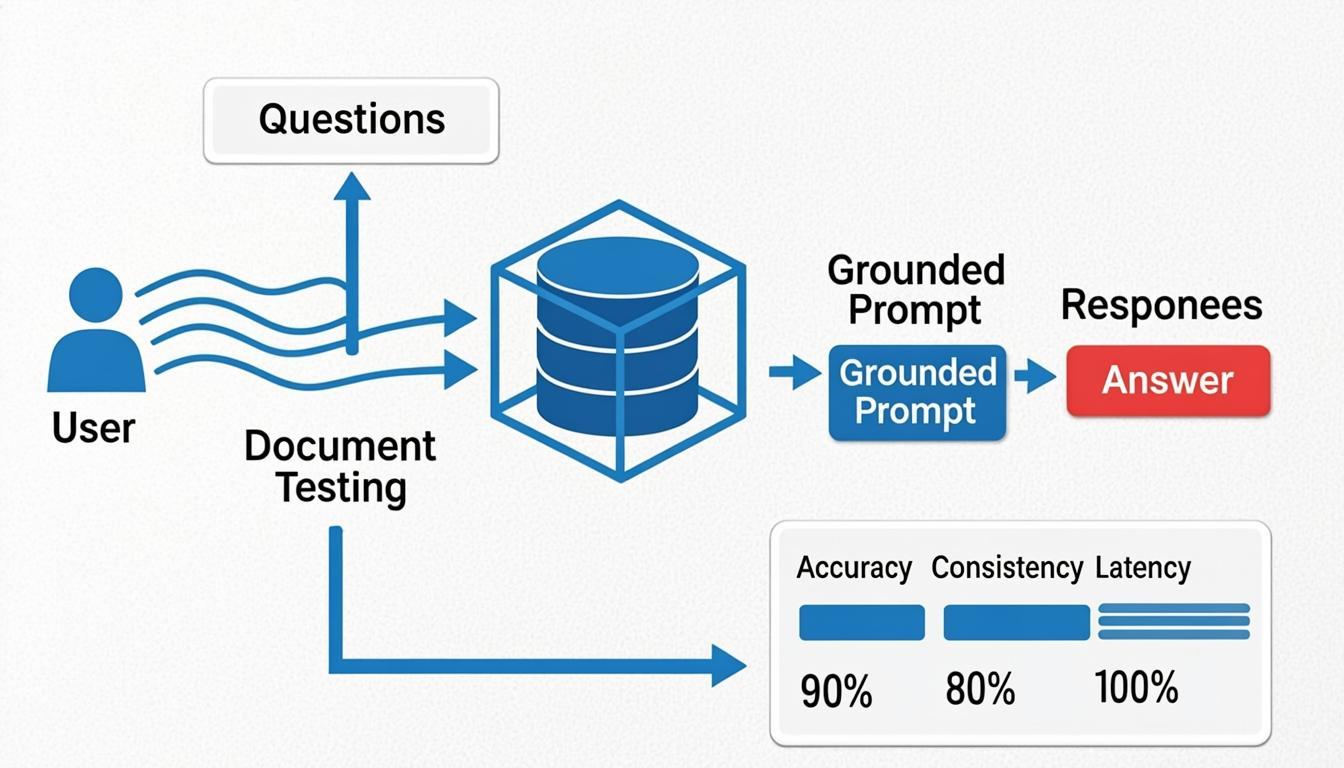 A retrieval-augmented generation flow and an evaluation dashboard — answer
quality is capped by retrieval quality, so measure both.
Real-World Applications of Advanced Prompt Engineering
AI-Powered Customer Support
RAG with a strict system prompt answers from policy documents, cites sources and escalates when evidence is missing. NLP software powering voice assistants and chatbots shows this pattern in practice.
Enterprise Knowledge Assistants
Retrieval with access-aware filtering keeps answers within documents the user may see.
Code Generation
Chained prompts plan a change, write code and review it against tests, feeding results back as context.
Document Processing
Few-shot examples and schema-validated JSON turn invoices, contracts and forms into structured records.
Data Analysis
The model turns a question into SQL or code that runs in a sandbox, and a second prompt explains the result.
Future of Prompt Engineering in LLM Application Development
The emphasis is shifting from single prompts towards context engineering: managing everything that enters the model’s context, including instructions, retrieved data, memory and tool outputs. Tool calling lets models request actions through defined interfaces, and agentic workflows chain decisions and tool use across many steps.
These architectures still depend on prompt design. Each step needs clear instructions, validated outputs and evaluation, and agents add risks such as compounding errors and a larger surface for injection.
Conclusion
Advanced prompting works best as a ladder, not a toolbox you empty onto every task. Each rung adds capability and cost, so climb only as far as your evaluation results justify:
Write a clear zero-shot prompt and score it on a fixed test set.
Add few-shot examples if format or judgement drifts.
Add retrieval when answers need facts the model lacks.
Require structured output and validate it in code.
Use chaining or self-consistency only where measured errors remain.
The technical takeaway: a technique earns its place in your application only when it improves a measured result. Anything else is extra tokens, latency and complexity.
Want to learn more? Visit our website to explore AI and LLM development resources.
Explore AI & ML ServicesReferences & Further Reading
- OpenAI Prompt Engineering Guideplatform.openai.com
- Anthropic Prompt Engineering Documentationdocs.anthropic.com
- Wei et al. (2022) — Chain-of-Thought Promptingarxiv.org
- Wang et al. (2022) — Self-Consistencyarxiv.org
- Brown et al. (2020) — Language Models are Few-Shot Learnersarxiv.org
- Lewis et al. (2020) — Retrieval-Augmented Generationarxiv.org
- OWASP Top 10 for LLM Applicationsgenai.owasp.org
- Google Search Central — Helpful Content Guidancedevelopers.google.com