

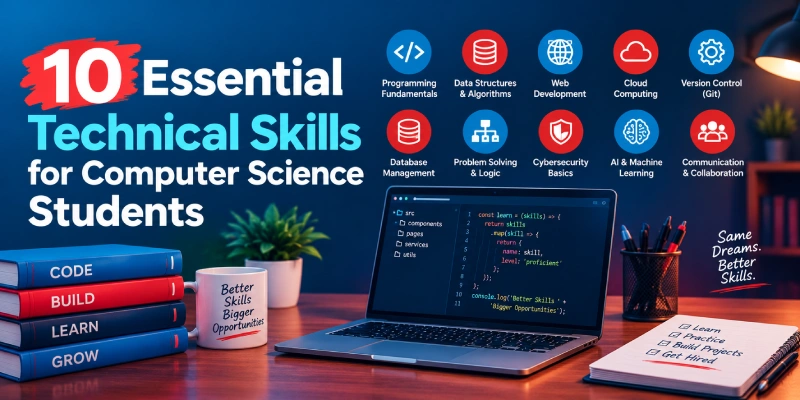
10 Essential Technical Skills for Computer Science Students
Discover 10 essential technical skills for computer science students in 2027, from programming and DSA to SQL, cloud computing, cybersecurity, and AI.
Learning computer science involves more than understanding programming concepts and completing academic assignments. Students also need practical technical skills to build applications, solve problems, work with modern tools, and prepare for real-world IT roles. With so many programming languages, frameworks, and technologies available, deciding which skills to learn first can be challenging.
The good news is that you do not need to master every technology to get started. Focusing on the right technical skills for computer science students can help you build a strong foundation, gain hands-on experience, and prepare for different career paths in software development, data science, cloud computing, and cybersecurity.
In this guide, we explore 10 essential technical skills, the tools worth learning, and practical project ideas you can use to strengthen your knowledge and demonstrate your abilities to potential employers.
Why Technical Skills for Computer Science Students Matter
A degree builds theory; employers also look for evidence that you can apply it. Technical fluency lets you read unfamiliar codebases, collaborate through shared tools, and solve problems under real constraints such as performance, security, and cost. Hands-on practice also helps you choose a direction with confidence, because working in an area shows whether you enjoy it before you commit to a career path.
'/%3E%3Ccircle cx='95' cy='85' r='120' fill='%23ffffff' opacity='0.05'/%3E%3Ccircle cx='815' cy='415' r='140' fill='%23ffffff' opacity='0.05'/%3E%3Ccircle cx='775' cy='75' r='42' fill='%23e82328' opacity='0.16'/%3E%3Ccircle cx='120' cy='420' r='30' fill='%231d7fc2' opacity='0.22'/%3E%3Crect x='215' y='84' width='450' height='312' rx='18' fill='url(%23cskB)'/%3E%3Crect x='215' y='84' width='450' height='46' rx='18' fill='%2302243B'/%3E%3Crect x='215' y='112' width='450' height='18' fill='%2302243B'/%3E%3Ccircle cx='243' cy='107' r='7' fill='%23e82328'/%3E%3Ccircle cx='267' cy='107' r='7' fill='%231d7fc2'/%3E%3Ccircle cx='291' cy='107' r='7' fill='%23ffffff' opacity='0.65'/%3E%3Crect x='335' y='97' width='210' height='20' rx='10' fill='%23ffffff' opacity='0.14'/%3E%3Crect x='249' y='158' width='175' height='14' rx='7' fill='%231d7fc2'/%3E%3Crect x='249' y='184' width='255' height='14' rx='7' fill='%23cfe6f6'/%3E%3Crect x='275' y='210' width='195' height='14' rx='7' fill='%23cfe6f6'/%3E%3Crect x='275' y='236' width='145' height='14' rx='7' fill='%23e82328' opacity='0.9'/%3E%3Crect x='249' y='262' width='225' height='14' rx='7' fill='%23cfe6f6'/%3E%3Crect x='275' y='288' width='165' height='14' rx='7' fill='%23cfe6f6'/%3E%3Crect x='249' y='314' width='115' height='14' rx='7' fill='%231d7fc2' opacity='0.55'/%3E%3Crect x='249' y='350' width='92' height='24' rx='12' fill='%2302243B'/%3E%3Crect x='351' y='350' width='92' height='24' rx='12' fill='%23e82328'/%3E%3Ccircle cx='560' cy='150' r='34' fill='%23eaf4fb' stroke='%231d7fc2' stroke-width='5'/%3E%3Cpath d='M546 150 L556 160 L576 138' stroke='%2302243B' stroke-width='6' fill='none' stroke-linecap='round' stroke-linejoin='round'/%3E%3Ccircle cx='560' cy='255' r='34' fill='%23eaf4fb' stroke='%23e82328' stroke-width='5'/%3E%3Cpath d='M545 240 H575 M545 255 H575 M545 270 H565' stroke='%2302243B' stroke-width='6' stroke-linecap='round'/%3E%3Ccircle cx='560' cy='355' r='34' fill='%23eaf4fb' stroke='%2302243B' stroke-width='5'/%3E%3Ccircle cx='549' cy='358' r='9' fill='%231d7fc2'/%3E%3Ccircle cx='565' cy='351' r='12' fill='%231d7fc2'/%3E%3Ccircle cx='578' cy='360' r='8' fill='%231d7fc2'/%3E%3Crect x='545' y='358' width='38' height='9' rx='4.5' fill='%231d7fc2'/%3E%3Cg%3E%3Crect x='30' y='128' width='152' height='48' rx='24' fill='%23ffffff'/%3E%3Ccircle cx='54' cy='152' r='11' fill='%231d7fc2'/%3E%3Ctext x='76' y='159' font-family='Arial, Helvetica, sans-serif' font-size='19' font-weight='700' fill='%2302243B'%3EPython%3C/text%3E%3CanimateTransform attributeName='transform' type='translate' values='0 0;0 -9;0 0' dur='4.5s' repeatCount='indefinite'/%3E%3C/g%3E%3Cg%3E%3Crect x='24' y='292' width='126' height='48' rx='24' fill='%23ffffff'/%3E%3Ccircle cx='48' cy='316' r='11' fill='%2302243B'/%3E%3Ctext x='70' y='323' font-family='Arial, Helvetica, sans-serif' font-size='19' font-weight='700' fill='%2302243B'%3ESQL%3C/text%3E%3CanimateTransform attributeName='transform' type='translate' values='0 0;0 8;0 0' dur='5.6s' repeatCount='indefinite'/%3E%3C/g%3E%3Cg%3E%3Crect x='44' y='392' width='118' height='48' rx='24' fill='%23ffffff'/%3E%3Ccircle cx='68' cy='416' r='11' fill='%23e82328'/%3E%3Ctext x='90' y='423' font-family='Arial, Helvetica, sans-serif' font-size='19' font-weight='700' fill='%2302243B'%3EGit%3C/text%3E%3CanimateTransform attributeName='transform' type='translate' values='0 0;0 -7;0 0' dur='5s' repeatCount='indefinite'/%3E%3C/g%3E%3Cg%3E%3Crect x='700' y='112' width='148' height='48' rx='24' fill='%23ffffff'/%3E%3Ccircle cx='724' cy='136' r='11' fill='%231d7fc2'/%3E%3Ctext x='746' y='143' font-family='Arial, Helvetica, sans-serif' font-size='19' font-weight='700' fill='%2302243B'%3ECloud%3C/text%3E%3CanimateTransform attributeName='transform' type='translate' values='0 0;0 -8;0 0' dur='5.2s' repeatCount='indefinite'/%3E%3C/g%3E%3Cg%3E%3Crect x='712' y='252' width='140' height='48' rx='24' fill='%23ffffff'/%3E%3Ccircle cx='736' cy='276' r='11' fill='%23e82328'/%3E%3Ctext x='758' y='283' font-family='Arial, Helvetica, sans-serif' font-size='19' font-weight='700' fill='%2302243B'%3EAI / ML%3C/text%3E%3CanimateTransform attributeName='transform' type='translate' values='0 0;0 9;0 0' dur='4.3s' repeatCount='indefinite'/%3E%3C/g%3E%3Cg%3E%3Crect x='688' y='380' width='164' height='48' rx='24' fill='%23ffffff'/%3E%3Ccircle cx='712' cy='404' r='11' fill='%2302243B'/%3E%3Ctext x='734' y='411' font-family='Arial, Helvetica, sans-serif' font-size='19' font-weight='700' fill='%2302243B'%3ESecurity%3C/text%3E%3CanimateTransform attributeName='transform' type='translate' values='0 0;0 -8;0 0' dur='6s' repeatCount='indefinite'/%3E%3C/g%3E%3C/svg%3E)
The 10 Technical Skills, Explained
Programming Languages and Core Coding Skills
Programming is the base layer for every other skill on this list. Employers value code that is readable, tested, and maintainable, not just code that runs.
Python for its readability and range, Java or C++ for object-oriented design and systems thinking, and JavaScript for web work. Learn one language deeply first; variables, control flow, functions, and object-oriented principles transfer to the rest.
Build small command-line tools, solve problems on platforms like LeetCode or HackerRank, and read open-source code on GitHub to see how experienced developers structure projects.
Build a personal expense tracker that reads and writes a CSV file, then add simple reports by category.
Data Structures and Algorithms
Arrays, hash maps, trees, graphs, sorting, searching, and Big O analysis determine how efficiently software handles data. They also anchor most technical interviews.
The language you know best, plus a visualizer such as VisuAlgo to watch structures behave step by step. Harvard’s free CS50 course is a strong companion.
Implement each structure from scratch once, then solve a few problems regularly at rising difficulty. After each solution, state its time and space complexity aloud.
Create a contact-search tool that stores names in a hash map, then compare its speed against a plain list search.
Database Management and SQL
Nearly every application stores data, and SQL remains the standard way to query relational databases. Keys, normalization, joins, indexing, and transactions help you design systems that stay accurate and fast.
PostgreSQL, MySQL, or SQLite for relational work, and basic awareness of NoSQL options such as MongoDB.
Design a schema for a library or online store, write queries using joins and aggregates, then compare query speed with and without an index.
Model a student course-registration system with at least four related tables and write ten queries against it.
Web Development
Web technologies power most business software, which makes this a practical entry point for many careers. Understanding how browsers, servers, and APIs communicate is valuable even if you never specialize in it.
HTML, CSS, and JavaScript on the front end; React for interfaces; Node.js, Django, or Spring Boot on the back end; plus REST API and HTTP basics.
Build and deploy a full-stack project such as a task manager with user login. The MDN Learn web development tutorials offer a structured path.
Create a portfolio site with a contact form that saves messages through a simple back-end API.
Version Control with Git and GitHub
Software is built by teams, and Git is how teams track changes, review work, and recover from mistakes. Fluency with branches, merges, pull requests, and conflict resolution is expected in most development environments.
Git, GitHub, GitLab, and a visual client if the command line feels unfamiliar at first.
Use Git on every project, even solo ones, and write clear commit messages. The free Pro Git book covers everything from basics to advanced workflows.
Host a small project on GitHub with a clear README, several branches, and at least one pull request reviewed by a classmate.
Operating Systems and Computer Networks
Understanding processes, threads, memory management, file systems, and the TCP/IP stack explains why software behaves the way it does in production. This knowledge especially supports cloud, DevOps, and security roles.
A Linux distribution or Windows Subsystem for Linux, the Bash shell, and network tools such as ping, traceroute, and Wireshark.
Automate routine tasks with shell scripts and capture your own network traffic to see DNS lookups and HTTP requests in action.
Write a script that monitors disk usage on a Linux machine and logs a warning when space runs low.
Cloud Computing Fundamentals
Most modern applications run on cloud infrastructure. Knowing the difference between IaaS, PaaS, and SaaS, and how compute, storage, networking, and identity management fit together, gives you a useful foundation for IT work.
AWS, Microsoft Azure, or Google Cloud free tiers, and Docker for containers.
Deploy a small web app to one cloud platform, containerize it with Docker, and set billing alerts so experiments never cost more than planned.
Host a static site and a small API on a cloud free tier, then document the architecture in a simple diagram.
Software Testing and Debugging
Writing code is only half the job; proving it works and fixing it when it does not is the other half. Unit tests, integration tests, and systematic debugging reduce defects and build trust in your work.
pytest, JUnit, or Jest for automated tests, and the debugger built into your IDE.
Add tests to an existing project, reproduce each bug before fixing it, and practice reading stack traces and using breakpoints instead of guessing.
Write a test suite for a calculator or to-do application that covers normal inputs, edge cases, and invalid data.
Cybersecurity Fundamentals
Security is a shared responsibility across development, infrastructure, and operations. Authentication versus authorization, encryption basics, and the OWASP Top 10 web vulnerabilities help you write safer code from the start.
OWASP guidance, password hashing libraries, and intentionally vulnerable training applications in a safe lab environment.
Validate all user input, store passwords with proper hashing, and study how SQL injection and cross-site scripting work so you can prevent them.
Add login, input validation, and password hashing to a small web app, then review it against the OWASP Top 10 list.
Artificial Intelligence and Machine Learning Basics
AI features are appearing in products across industries, a shift we cover in more detail in how AI and machine learning are transforming the IT industry. Understanding supervised and unsupervised learning, data preprocessing, model evaluation, and overfitting lets you work with these systems intelligently rather than treating them as black boxes.
Python with NumPy, pandas, and scikit-learn, plus Jupyter notebooks. If you use AI coding assistants, review their output carefully; you remain responsible for the code.
Train a simple classifier on a public dataset, compare evaluation metrics, and document what the model gets wrong and why.
Classify emails as spam or predict house prices using a public dataset, and write a short summary of your findings.
Which Skills Support Which IT Career Paths?
Different roles lean on different combinations of the skills above:
| Career Path | Core Skill Stack |
|---|---|
| Software development | Programming, data structures and algorithms, Git, testing, and web development. |
| Data and AI roles | Python, SQL, and machine learning basics. |
| Cloud and DevOps | Linux, networking, cloud fundamentals, Git, and containers. |
| Cybersecurity | Networks, operating systems, security fundamentals, and scripting. |
| Full-stack development | Web development, databases, Git, and cloud deployment. |
If you’re leaning toward development, see how software development trends in 2027 are changing which skills employers expect, from AI-assisted coding to built-in security.
Common Mistakes Students Make While Learning Technical Skills
Knowing what to avoid saves months of slow progress:
-
Learning too many languages at once. Switching languages every few weeks leaves you with shallow knowledge. Reach a comfortable level in one before adding another.
-
Watching tutorials without building. Passive learning creates false confidence. After each tutorial, rebuild the project from memory and extend it with your own features.
-
Skipping fundamentals for frameworks. Frameworks change quickly, while concepts such as HTTP, data structures, and database design stay relevant for years.
-
Avoiding documentation. Reading official documentation and error messages is a skill in itself, and it saves hours of searching.
-
Keeping projects private. Code on GitHub with a clear README demonstrates your work and invites useful feedback.
How to Turn These Skills into a Portfolio
A portfolio shows what you can do far better than a list of topics. Choose three to five projects that cover different skills, such as a full-stack web application, a data-driven project, and a cloud deployment. For each one, write a README that explains the problem, the tools used, how to run it, and what you would improve next. Include automated tests, a readable commit history, and a short note on a challenge you solved. Quality and clarity matter more than quantity.
Skills Every Computer Science Student Should Learn First: A Step-by-Step Roadmap
Learning technical skills is easier when you follow a structured path instead of trying to master several technologies at once. Start with programming fundamentals, strengthen your problem-solving skills, and gradually progress to building and deploying real applications. The following roadmap provides a suggested learning order, not a strict set of rules.

-
1
Step 1: Learn Programming Fundamentals and Git
Choose one programming language, such as Python, Java, C++, or JavaScript. Learn variables, data types, loops, functions, and object-oriented programming. Use Git to track changes and GitHub to manage your projects from the beginning.
Suggested time: 1–2 months. -
2
Step 2: Practise Data Structures and Algorithms (DSA)
Learn arrays, strings, linked lists, stacks, queues, hash maps, trees, and basic sorting and searching algorithms. Practise analysing time and space complexity to understand how efficiently your solutions perform.
Suggested time: 2–3 months, followed by regular practice. -
3
Step 3: Build Database and SQL Skills
Learn how relational databases work and practise SQL queries involving SELECT statements, joins, filtering, aggregation, and indexing. Apply these concepts by designing a database for a small application.
Suggested time: 3–4 weeks. -
4
Step 4: Build a Web Application
Combine programming, database management, and Git in a simple full-stack project. Learn the fundamentals of HTTP and REST APIs, and become comfortable using Linux and the command line.
Suggested time: 1–2 months. -
5
Step 5: Practise Testing and Debugging
Write tests for your application, use debugging tools to investigate errors, and handle unexpected inputs. These practices help you develop more reliable and maintainable software.
Suggested time: 2–3 weeks. -
6
Step 6: Explore a Specialization
Once you have established a solid foundation, explore cloud computing, cybersecurity, data science, or artificial intelligence and machine learning. Choose a direction based on your interests and career goals. If you pursue AI and machine learning, strengthen your understanding of basic statistics and probability.
-
7
Step 7: Complete and Document a Project
Build a project that combines several of the skills you have learned. Publish the code on GitHub and create a clear README explaining the problem, technologies used, setup instructions, and potential improvements. Include tests where appropriate and describe the challenges you solved.
A well-documented project helps demonstrate your practical abilities and gives you something concrete to discuss with potential employers.
Remember: These learning durations are estimates, not fixed deadlines. Adjust your pace according to your existing knowledge, practice time, and learning goals.
Conclusion
The most valuable technical skills for computer science students are not the trendiest ones; they are the fundamentals that every IT role builds on. Focus on depth in a few areas, back each skill with a project you can explain, and keep learning as tools evolve. Steady, hands-on practice will do more for your readiness than collecting course titles.
If you’re still weighing the field itself, our guide on whether a tech career is still worth it explores the question from a broader career perspective.
Pick one skill from this list, build one small project this week, and let each finished project guide what you learn next.
FAQs
What are the technical skills in computer science?
Core technical skills include programming, data structures and algorithms (DSA), databases and SQL, web development, Git and GitHub, operating systems and networking, cloud computing, software testing, cybersecurity basics, and AI and machine learning fundamentals. Together they let you build, test, and deploy real applications.
What are 10 examples of technical skills?
Ten examples are Python or Java programming, DSA, SQL, web development, Git and GitHub, Linux and networking, cloud fundamentals, software testing and debugging, cybersecurity basics, and machine learning basics. Each is covered above with tools to learn and a project idea to build.
Which skill is best for CS students to learn first?
Start with one programming language, such as Python, then add basic DSA and Git. These skills support almost everything else, from web development to cloud and AI. Once you can write clean code and keep it on GitHub, move on to SQL and building a small application.
What are the top 3 technical skills for CS students?
Programming, data structures and algorithms, and databases with SQL are the top three. They apply to software development, data, and cloud roles alike, and they are commonly tested in technical interviews. Add Git early, since almost every development team uses it.
What are the top technical skills in 2027?
Programming fundamentals, cloud computing, cybersecurity, and AI and machine learning basics remain in high demand. Employers also expect Git, SQL, and testing skills. Trends shift, so build strong fundamentals first and add a specialization once your interests become clear.
Do computer science students need to learn AI and machine learning?
Not for every role, but the basics help in almost any career. Learn Python, data preprocessing, and model evaluation, and review basic statistics. AI features now appear across many products, so understanding how they work helps you use and build them responsibly.