

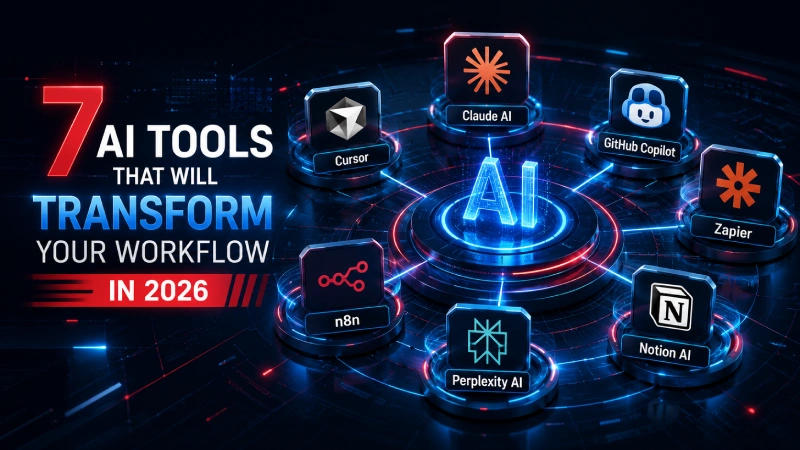
7 AI Tools That Will Transform Your Workflow in 2026
Discover 7 powerful AI tools revolutionizing productivity, automation, coding, and research in 2026. Boost efficiency with practical insights and implementation tips.
Introduction
In today's fast-paced digital landscape, staying ahead means leveraging technologies that streamline tasks, enhance decision-making, and free up time for high-value work. As we move into 2026, AI tools have evolved from helpful assistants to indispensable partners capable of handling complex, multi-step processes. These innovations address common challenges like repetitive tasks, information overload, slow coding cycles, and fragmented tools—offering clear solutions through intelligent automation and contextual understanding.
This guide explores seven standout AI tools poised to revolutionize how you manage daily operations, from research and coding to automation and collaboration. Each section breaks down the problem it solves, key features, practical use cases, and implementation tips for seamless integration.
The Growing Need for AI-Driven Workflows
Traditional workflows often suffer from silos, manual errors, and time sinks. AI agents and orchestration tools now enable predictive, adaptive processes that learn from context and execute autonomously. By adopting these, professionals can achieve significant productivity gains—often 30-50% or more in targeted areas—while maintaining control and creativity.
Claude AI: The Intelligent Reasoning Powerhouse
Problem
Complex reasoning, content creation, and multi-step planning often lead to inconsistencies or require extensive back-and-forth.
Solution
Claude from Anthropic excels in deep contextual understanding, long-context handling (up to 1M tokens in advanced models), and agentic capabilities like Claude Code and Cowork. In 2026, it stands out for high-quality writing, code generation, and task execution.
Key Features & Benefits
Practical Applications
Use Claude for drafting detailed reports, debugging complex codebases, or orchestrating project plans. Integrate via API for custom agents.
Implementation Tip Start with the desktop app or web interface. Experiment with "Projects" for persistent context to transform ad-hoc tasks into repeatable workflows.
Pro Tip Combine with visual debugging for rapid iteration on technical projects.
Cursor: AI-Powered Coding Revolution
Problem
Traditional IDEs slow down development with manual coding, debugging, and refactoring.
Solution
Cursor reimagines the code editor as an AI-native environment (built on VS Code foundations). It acts as a full agent for multi-file edits, terminal commands, and codebase-wide changes.
Quick Commands
Use natural language commands to interact with your entire codebase:
Many developers report 2-3x faster coding with Cursor's agentic mode.
Key Features
- Composer for natural language multi-file generation
- Agentic mode for autonomous task handling
- Seamless integration with existing projects
Use Cases
Accelerate full-stack development, refactor legacy code, or build prototypes from ideas. Ideal for reducing boilerplate and focusing on architecture.
Getting Started Install Cursor, connect your repositories, and use chat/commands like "/edit" or "@files" for context.
Key Note Its diff-viewer UX makes reviews intuitive and error-free.
GitHub Copilot: Seamless IDE Integration
Problem
Developers waste time on repetitive syntax and boilerplate while context-switching.
Solution
GitHub Copilot, powered by OpenAI models, provides inline suggestions, chat, and workspace-aware assistance directly in popular IDEs. In 2026, it remains a staple for enterprise teams.
Highlights
Workflow Impact
Speed up feature implementation, generate tests, and improve documentation. Enterprise versions add governance.
Tip Customize with your coding style for personalized results. Use alongside other tools for hybrid workflows.
Zapier: No-Code Automation Leader
Problem
Disconnected apps lead to manual data transfers and missed opportunities.
Solution
Zapier connects thousands of apps with AI-enhanced "Zaps" and agents. It now includes smarter orchestration for conditional, multi-step automations.
Automation Flow Example
Features
- AI-powered Zap suggestions and natural language setup
- Integration with major LLMs for intelligent routing
- Monitoring dashboards and error handling
Examples
Auto-sync leads from CRM to email campaigns, generate reports, or trigger notifications based on events.
Best Practice Start simple, then layer AI logic for dynamic workflows. Scalable for teams.
n8n: Flexible Open-Source Automation
Problem
Proprietary tools limit customization and increase costs for complex needs.
Solution
n8n offers self-hostable, node-based automation with native AI nodes for agents, branching, and APIs. It's highly extensible for technical users.
Core Strengths
Visual Editor
With code options
AI Orchestration
Agents & RAG support
Extensible
Community nodes
Applications
Build custom ETL pipelines, AI-driven monitoring, or multi-tool integrations.
Implementation Self-host for data control or use cloud. Great for scaling beyond basic Zaps.
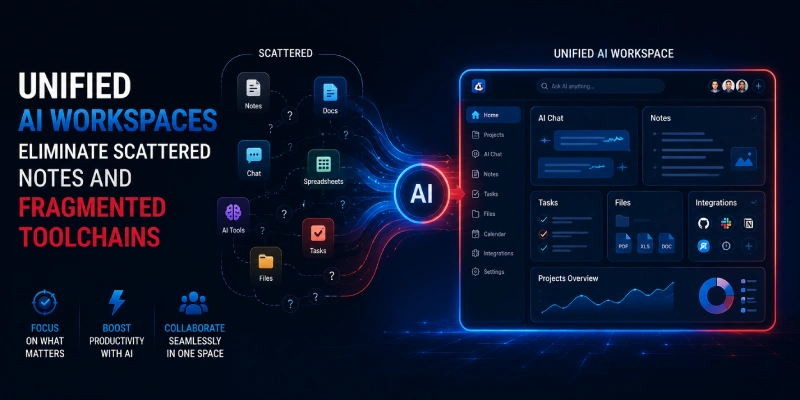
Notion AI: Unified Knowledge & Project Hub
Problem
Scattered notes, tasks, and databases hinder collaboration and retrieval.
Solution
Notion AI enhances its all-in-one workspace with smart summarization, database automation, content generation, and Q&A over your workspace.
Workspace Dashboard
Transformative Uses
Auto-generate meeting notes, research wikis, or project dashboards that update dynamically.
Tip Leverage templates and AI blocks for rapid setup. Excellent for team knowledge bases.
Perplexity AI: Intelligent Research & Discovery
Problem
Sifting through information overload for accurate, cited insights is time-consuming.
Solution
Perplexity combines search with generative AI, delivering concise, sourced answers with real-time web access. Ideal for quick yet deep research.
Research Results
Validate Ideas
Cross-reference concepts with real-time sources
Summarize Trends
Get concise overviews of market and tech shifts
Competitive Intelligence
Gather and compare competitor data rapidly
Features
- Pro search with citations
- Follow-up questions and collections
- Integration into workflows via API
Optimization Use for pre-meeting prep or content outlining to maintain accuracy.
Comparative Overview
| Tool | Best For | Ease of Use | Key Strength |
|---|---|---|---|
| Claude AI | Reasoning & Agents | High | Context & Quality |
| Cursor | Coding | High | Agentic Development |
| GitHub Copilot | IDE Assistance | Very High | Inline Suggestions |
| Zapier | No-Code Automation | Very High | App Integrations |
| n8n | Custom Automation | Medium | Flexibility |
| Notion AI | Knowledge Management | High | Workspace AI |
| Perplexity | Research | Very High | Cited Insights |
Implementation Framework
Assess Pain Points
Audit current workflows for bottlenecks. Identify where manual tasks, context-switching, or information gaps slow you down the most.
Pilot One Tool
Choose based on highest impact (e.g., coding or automation). Start with a single tool and a focused use case to build confidence and measure results.
Integrate Gradually
Connect tools (e.g., Zapier + Notion). Build bridges between your AI tools to create compound efficiencies across your workflow.
Measure & Iterate
Track time saved and refine prompts/agents. Use quantitative data to validate adoption and identify further optimization opportunities.
Stay Secure
Review data policies and use enterprise tiers where needed. Ensure compliance with your organization's security standards and data handling requirements.
This framework ensures sustainable adoption without overwhelm.
Frequently Asked Questions
Ready to Transform Your Workflow?
The seven AI tools highlighted here—Claude AI, Cursor, GitHub Copilot, Zapier, n8n, Notion AI, and Perplexity—collectively address core workflow challenges with practical, transformative power. By solving inefficiencies head-on and providing scalable solutions, they empower more strategic, creative work in 2026 and beyond. Experiment today to unlock compounding benefits.
Contact Us